
1. Chip moves into your menu bar
A tiny Chip sits next to your clock. It’s chill when memory is fine, sweaty when it’s tight, and panicking when your Mac starts swapping.
 MemWatch
Download
Watch the ad
MemWatch
Download
Watch the ad
Free menu bar app for Mac
MemWatch watches your Mac’s memory and calls out whatever is hogging it. The one doing the calling out is Chip, a cartoon RAM stick with zero chill.
Free · macOS 14 Sonoma or later · Apple silicon and Intel
Coming soon. Free · macOS 14 Sonoma or later · Apple silicon and Intel
LinkedIn is eating 2.3 GB. That’s a lot of RAM for “Thrilled to announce…”

How it works
A tiny Chip sits next to your clock. It’s chill when memory is fine, sweaty when it’s tight, and panicking when your Mac starts swapping.

When an app crosses your limit, Chip pops up holding a sign, or a jet flies a banner across your screen. It even names the website: LinkedIn, not just “Safari”.

Hit Quit right on the sign. When the memory comes back, Chip throws confetti and counts what you freed.
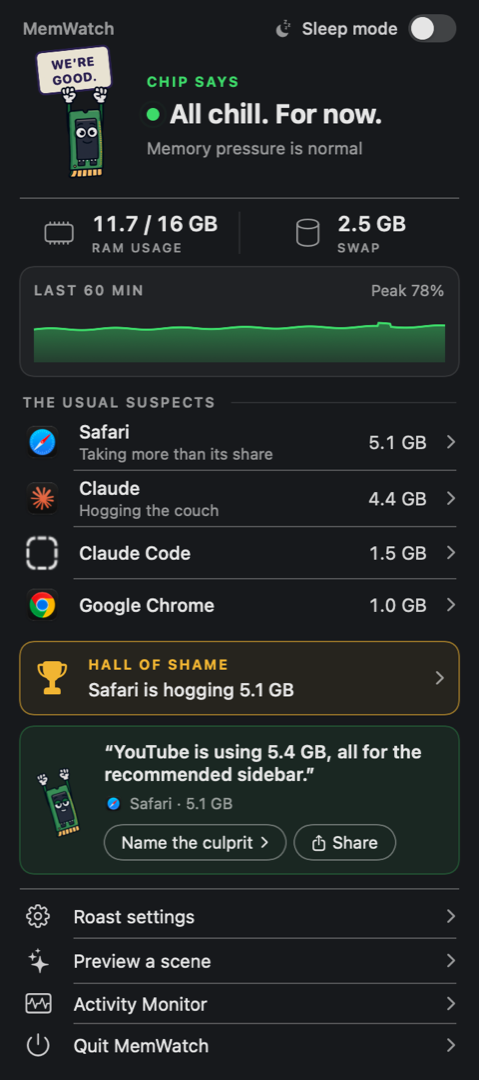
Share it
Roast signs and the panel have a Share button. One click makes a ready-to-post image and copies it, so you can paste it straight into X, Instagram, Threads or the group chat.

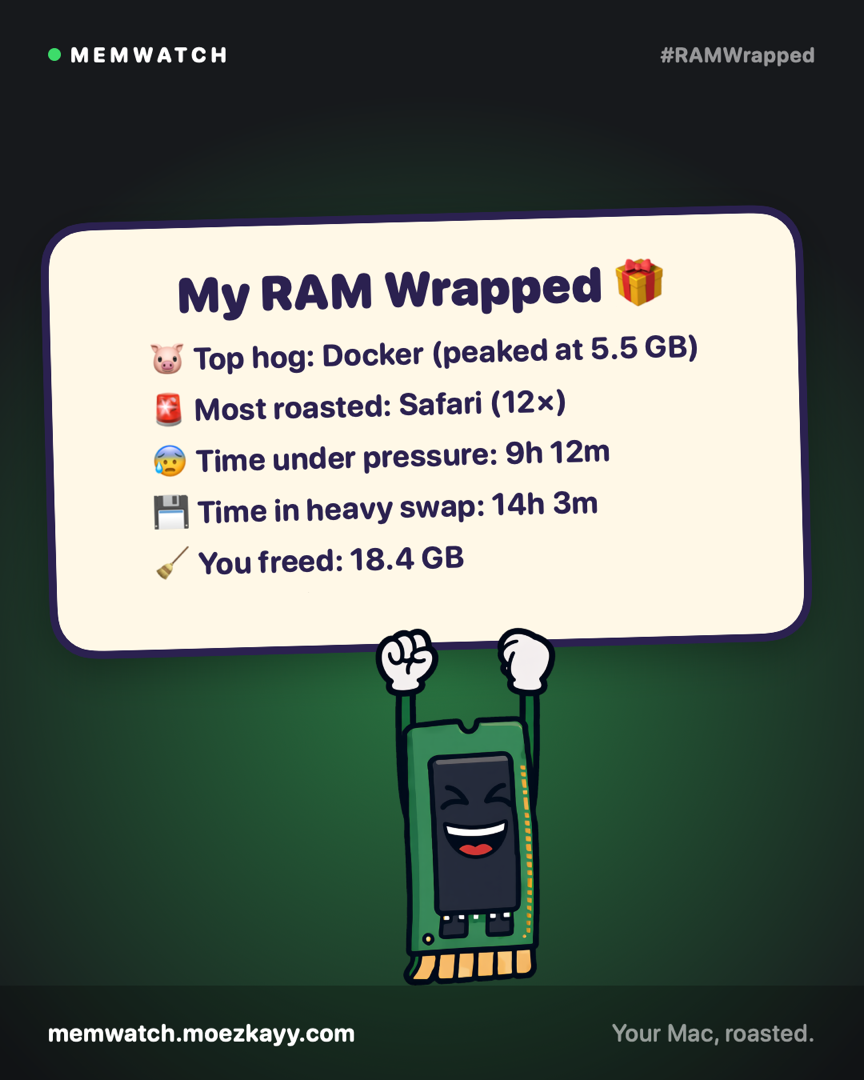

Every Sunday evening, Chip hands you RAM Wrapped: your top hog, most-roasted app, time under pressure and how much you freed. Post yours with #RAMWrapped.
Your call
Cartoon signs, jet banners and confetti, right on your screen.
Plain macOS notifications. Same information, no cartoons.
Just the menu bar icon. Check in when you feel like it.
Pick how often Chip may roast (every 5, 15 or 30 minutes), how big an app has to get (1 to 4 GB), and which apps never get roasted.
Privacy
MemWatch has no account, no analytics and no network code at all. It reads the same memory numbers Activity Monitor shows, and keeps its stats in a file on your Mac.
Lightweight

Free. macOS 14 Sonoma or later, Apple silicon and Intel.
Download MemWatch.dmg Coming soonChip is in final testing. Check back soon.
Version 1.0 · 4.3 MB · universal (Apple silicon and Intel)
MemWatch.dmg and drag MemWatch into Applications.MemWatch isn’t notarized by Apple yet, so the first time you open it macOS shows a warning. To open it anyway:
You only need to do this once.
Yes. No trial, no account, no ads.
No. It checks memory every 10 seconds, which takes a few hundredths of a second, and uses less memory than a single browser tab (under 50 MB). The cartoons only run while they’re on screen.
That’s how it reads your open tab addresses to name the site that’s eating memory. It never changes anything in your browser. Say no, or switch off “Name the site from browser tabs”, and it just names the browser instead.
Only when you press Quit on a sign or in the panel. It never quits anything on its own.
Click Chip in the menu bar and turn on Sleep mode. Or switch to Quiet mode in Roast settings. It also stays quiet during Zoom, Teams and FaceTime calls.
That’s macOS’s own memory pressure, the same signal as the green, yellow and red graph in Activity Monitor. It looks at free memory, compression and swapping, not just a percentage.
It matches your open tabs against a list of famously heavy sites, like LinkedIn, YouTube, Figma, Gmail and Notion. If none match, it roasts the browser itself.